Donation Receipt Generator for Nonprofits and Charities
A written acknowledgment of a donor's gift, with the goods-or-services statement, on a PDF to sign.
- No signup required
- Works on any device
- Private & secure
- Pro from $5.92/mo removes the watermark
What's on it
What's Included in a Donation Receipt
10 parts, each already laid out. Open one to see why it matters.
- Parts already laid out
- 10
- Totals add up as you type
- Auto
- Formats: PDF and PNG
- 2
1
Receipt number and date
Set in Receipt details. The Next number button moves to the following number, so each receipt in a run is numbered in order, and the receipt date is the day you issue it.
2
Organization and EIN
The organization's name, address and contact, with a logo if you have one. The EIN has its own field under Tax status; leave it blank and it doesn't print. The IRS list of required contents names the organization but not its EIN, though many organizations print it.
3
Donor
The donor's name and address. The IRS says the donor's Social Security or tax identification number isn't needed on the acknowledgment, so the editor has no field for it.
4
Gift type
Choose Cash or In-kind in Gift. Cash covers checks, cards and transfers. Choosing In-kind opens an In-kind description field for the donated items.
5
Contributions and date received
One line per gift, each with a description, an amount and the date it was received. Add as many lines as you need, which is how a year-end statement lists every gift and its date. Totals add up as you type.
6
In-kind description
Describe donated goods, such as a used crib or ten boxes of canned food. Publication 1771 says to describe property without stating its fair market value, so leave the amount blank for in-kind gifts. With a blank amount, the receipt prints the description and leaves out the total contribution and the amount in words, rather than a $0.00 total.
7
Goods or services statement
Pick the statement that applies: no goods or services, goods or services provided, intangible religious benefits only, or a general no-goods statement for use outside the US. Each is editable. The goods-or-services option asks for a value and prints it in the statement.
8
Value provided and contribution in excess
With the goods-or-services statement chosen, enter the estimated value of what the donor received. Until you enter a number the statement shows [enter value] and no extra lines print. Then the totals show that value and a Contribution in excess of value provided line: the contribution minus the value, never below zero. Whether any of it is deductible depends on the donor. The other statements hide both lines.
9
Payment method and reference
Cash, check, card, bank transfer or other, with the check number or transaction reference.
10
Amount in words and signature
The total contribution is spelled out, for example 'Three hundred dollars and 00/100'. Add the signer's name and title, upload a signature image, or print the PDF and sign it by hand.
Who Uses This Template
- 501(c)(3) charities, small nonprofits and community groups without donor-management software
- Churches, mosques and temples issuing giving receipts
- School PTAs and sports clubs collecting donations
- Fundraising events where donors receive a meal, ticket or gift
Making Your Donation Receipt, Step by Step
- 1
Add the organization
- 2
Add the donor and the gift
- 3
Choose the statement
- 4
Record the payment
- 5
Sign and download
Pricing
Free to make. Pro when you need it.
Every template, edit and download is free, with a watermark. Go Pro to remove it and add your own branding.
Pro Annual
Save 40%$5.92/ month
$70.99 billed annually.
Plan includes
- Unlimited watermark-free PDFs & PNGs
- Your logo & brand colors
- Custom fonts & spacing
- Every receipt template
Free · $0
PDF and PNG downloads with a watermark.
Donation Receipt Guide
The detail behind the template. Open what you need.
Ready to fill one in?
Free downloads include a watermark. No account required.
About the donation receipt
A donation receipt, often called a tax-deductible donation receipt or a 501(c)(3) receipt, is the written acknowledgment a charity gives a donor for a gift. Fill in the organization, donor and gift, choose the goods-or-services statement that applies, and download a full-page PDF to sign and send.
In the US, a donor can't claim a deduction for a single gift of $250 or more without a written acknowledgment from the charity, and the acknowledgment has to say whether the donor received anything in return. Charities don't need special software or an IRS form for this; a letter, an email or a receipt that carries the right details is enough. Most of these receipts come from 501(c)(3) organizations. The receipt supports a donor's deduction but doesn't decide it: that depends on the organization's status and the donor's own situation.
This editor lays the receipt out as a full page: organization with its EIN, donor, a list of contributions with the date each was received, and the goods-or-services statement. When the donor received something in return, the receipt prints its estimated value and the amount contributed in excess of it. The editor keeps your latest draft in this browser; saving it to My Templates, so you can reuse it for every donor on any device, needs a free account (downloads stay watermarked until you go Pro).
What the Rules Say
A donor can't claim a federal income tax deduction for any single contribution of $250 or more without a contemporaneous written acknowledgment from the charity. A charity that doesn't acknowledge a gift incurs no penalty for that, but the donor can't claim the deduction. A missing quid pro quo disclosure, described below, carries its own penalty. Contributions under $250 aren't added together: weekly offerings under $250 are separate gifts.
Source: IRS Publication 1771The acknowledgment should give the organization's name, the amount of any cash gift, a description (but not the value) of any property, and one of three statements: that no goods or services were provided, a description and good-faith estimate of the value of what was provided, or that the only benefit was intangible religious benefits. The donor's Social Security or tax identification number isn't needed. There is no IRS form, and a letter, postcard or computer-generated form works.
Source: IRS Publication 1771The donor must receive the acknowledgment by the earlier of the date they file their return for the year of the gift and that return's due date, including extensions. A paper copy or an email addressed to the donor both work, and the donor keeps it rather than attaching it to the return. One annual summary can cover several gifts of $250 or more.
Source: IRS Publication 1771When a donor pays more than $75 partly as a gift and partly for goods or services, such as a dinner, the charity must give a written disclosure. It must tell the donor that the deductible amount is limited to the excess of the contribution over the value of what was provided, and give a good-faith estimate of that value. The rule applies even when the deductible amount is $75 or less. Goods of insubstantial value, certain membership benefits and intangible religious benefits are exceptions.
Source: IRS Publication 1771Publication 526 says that for several gifts of $250 or more, a donor needs a separate acknowledgment for each or one that lists each contribution and its date and shows the total. It also says a donor can deduct only the part of a payment that is more than the value of what they received, and that a charity must give the written statement for a payment of more than $75 that is partly a contribution. Whether and how much a particular donor can deduct depends on their own situation and on the organization's status, so donors should ask a tax professional.
Source: IRS Publication 526
Filled-In Example
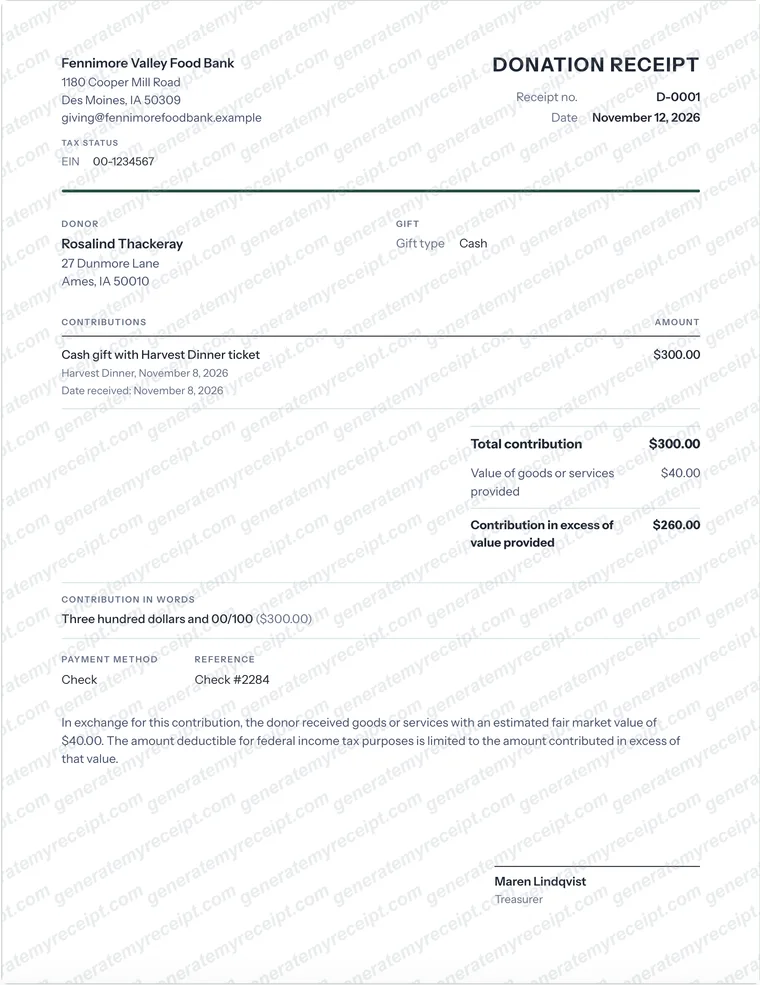
- Cash gift with Harvest Dinner ticket
- 300.00
- Total contribution (check #2284)
- 300.00
- Value of goods or services provided
- 40.00
- Contribution in excess of value provided
- 260.00
Sample with invented names: Fennimore Valley Food Bank (EIN 00-1234567) to Rosalind Thackeray for a 300.00 gift received November 8, 2026, receipt D-0001 dated November 12, 2026. The donor also had a dinner with an estimated value of 40.00, so the receipt carries the goods-or-services statement, prints that value and shows 260.00 as the contribution in excess of that value.
Common Mistakes to Avoid
- Writing 'Thank you for your support' with no goods-or-services statement. For a gift of $250 or more the acknowledgment has to say whether anything was provided in return.
- Putting a dollar value on donated goods. Describe the items and leave the valuation to the donor.
- Calling a gala ticket or auction purchase a full donation. When the donor received something, choose the goods-or-services statement and enter its value.
- Sending the receipt after the donor's return is filed. It has to reach the donor by the earlier of the filing date and the due date.
- Using one 'no goods or services' statement on a receipt that also lists a gift with a dinner. The statement applies to the whole receipt, so issue the dinner gift on its own receipt.
Good to know: Issue the receipt promptly and put each gift's date received on its line. A year-end statement that lists every gift with its date is what lets a donor support several gifts with one document, and the date is what shows the receipt reached them in time.
Which Document Do You Need?
| If you have | Use |
|---|---|
| A written acknowledgment of a gift | This donation receipt. It records who gave what, and whether anything was given back. |
| Proof of a rental payment | A rent receipt records one payment of rent for a period. |
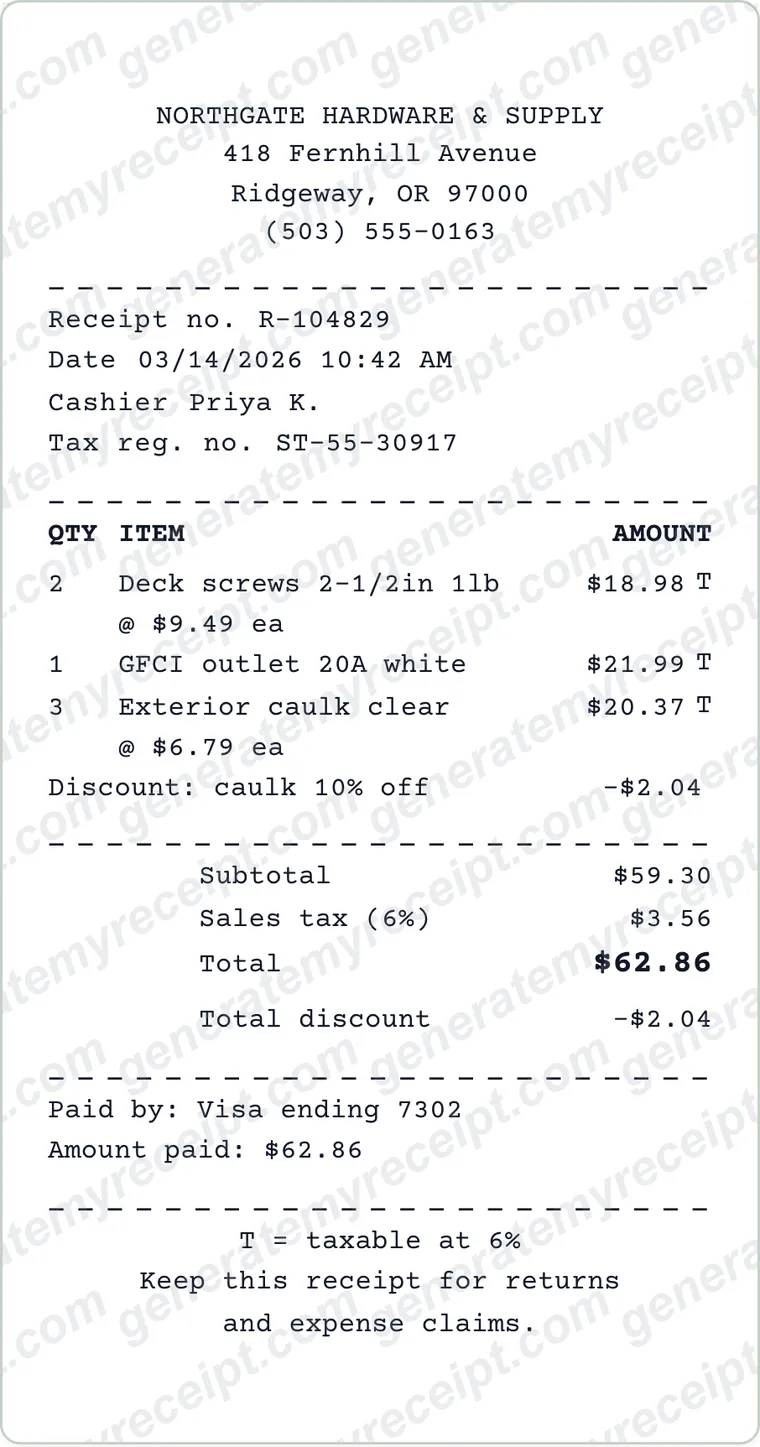
| An itemized record of a sale of goods or services | An itemized receipt lists each item with quantity, price and tax. |
| A donor outside the US | Rules differ by country, and the US wording doesn't apply. Check what your tax authority requires; this editor has a general no-goods statement you can edit. |
Step-by-Step Details
- Add the organization. Enter the name, address and contact in Organization, the EIN under Tax status, and upload a logo if you have one.
- Add the donor and the gift. Enter the donor's name and address. Choose Cash or In-kind, then list each contribution with its amount and the date received. For donated items, describe them and leave the amount blank.
- Choose the statement. Pick the goods-or-services statement that applies. If the donor received something, choose that option and type its estimated value; the receipt prints it and the contribution in excess of it.
- Record the payment. Choose the payment method and add the check number or reference. The total contribution adds up your gift lines and is spelled out in words (an in-kind gift with no amount prints neither).
- Sign and download. Add the signer's name and title and a signature image, or sign the printed copy. Download a Letter or A4 PDF and send or hand it to the donor. Free downloads carry a watermark; Pro removes it.
Donation Receipt FAQs
What should a donation receipt include?
For US federal tax, the IRS lists the organization's name, the amount of any cash gift, a description of any property (without its value), and a statement that no goods or services were provided, a description and good-faith estimate of what was provided, or that the only benefit was intangible religious benefits.
When is a donation receipt required?
A US donor needs a written acknowledgment for any single contribution of $250 or more to claim a deduction. Separately, a charity must give a written disclosure when a donor pays more than $75 partly as a gift and partly for goods or services.
Is this a 501(c)(3) or tax-deductible donation receipt?
Yes, it's the written acknowledgment a 501(c)(3) organization gives donors, with the organization's EIN under Tax status. The receipt doesn't make a gift deductible: that depends on the organization's status and the donor's situation. Donors can check an organization's status with the IRS Tax Exempt Organization Search.
Can we send one receipt for all gifts in a year?
Yes. The IRS allows one annual summary for several gifts, and Publication 526 says it should list each gift with its date and show the total. Add each gift as a contribution line with its date received.
Can a donation receipt be emailed?
The IRS accepts an acknowledgment sent electronically, such as an email addressed to the donor. The editor doesn't send email, so download the PDF and attach it to your own message, or print and sign it.
Does this work for churches?
Yes. A religious organization that provided only intangible religious benefits can choose that statement, which says so without describing or valuing them. Benefits that aren't intangible religious benefits still need the goods-or-services statement.
Is GenerateMyReceipt free to use?
Free to make and download (watermarked); Pro removes the watermark. No signup is needed to download. Pro costs $9.99 a month, or $70.99 a year (about $5.92 a month).
What file formats can I download my receipt in?
Download as a PDF or PNG, then print or share the file.
Related Templates
Browse all receipt templates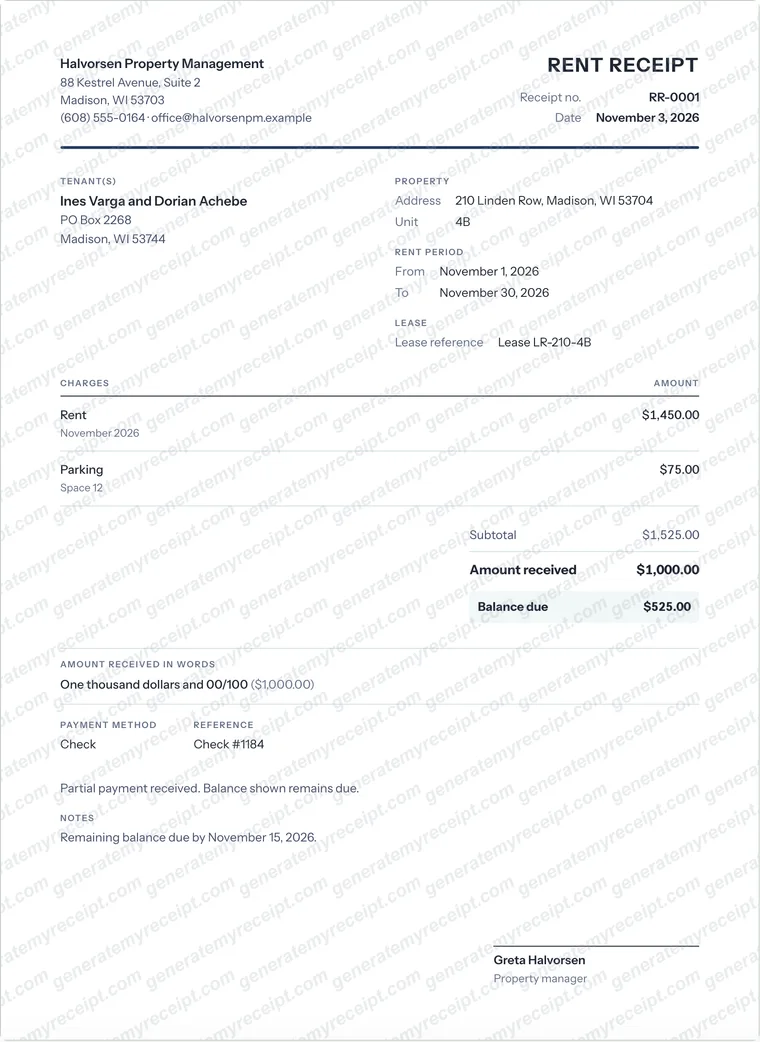
Ready to create your donation receipt?
Free downloads include a watermark. No account required.
Use Honestly: use these receipts for payments you actually received. Don't use them to claim expenses, returns or tax deductions for purchases that didn't happen.